
AI-Driven Product Recommendations: How to Add Them to WooCommerce
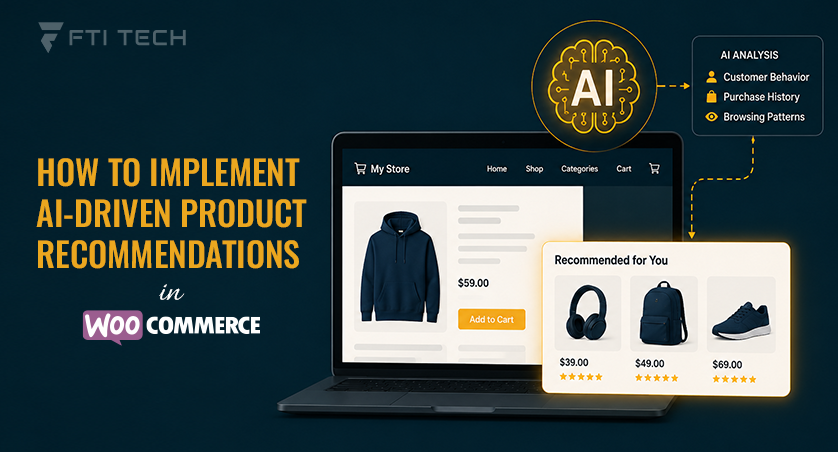
If you’ve shopped on Amazon recently, you know what good product recommendations feel like. You look at a pair of shoes, and suddenly the site is showing you socks and insoles you didn’t know you wanted. It’s AI reading your behavior and making a bet on what you’ll buy next.
In WooCommerce, these tools work by tracking what a shopper does – pages browsed, past purchases, whatever’s sitting in the cart, and using that behavior to predict what they’ll want next. You’ll see it play out as “customers also bought” sections, homepages that shift depending on who’s visiting, or checkout upsells that change based on how someone’s been shopping.
This guide covers what these tools do, the formats you’ll run into, how to get one set up, and the mistakes worth avoiding.
What are AI-Driven Product Recommendations?
AI-driven product recommendations are product suggestions generated by machine learning (ML) that study customer behavior and product data to figure out what a shopper is likely to buy next.
That’s a step up from the old way of doing things, where a store admin manually sets rules -“always show these three accessories with this product.” Rules like that aren’t bad, but they stay fixed no matter who’s shopping or what’s trending. AI-based recommendations don’t have that problem. They learn from actual customer interactions and keep adjusting on their own.
The Machine Learning Models Behind Recommendations
There are really two core methods behind most WooCommerce recommendation tools, and a lot of plugins to combine them.
- Collaborative filtering analyzes customer behavior. If shoppers who buy Product A frequently purchase Product B, the system learns that relationship and recommends Product B to similar customers.
- Content-based filtering recommends products with similar attributes, such as category, brand, tags, or price range, based on a shopper’s browsing and purchase history.
- Hybrid models combine both methods. They use product similarities when customer history is limited and rely more on behavioral patterns as more data becomes available. This balance usually produces more accurate recommendations.
Where the data comes from:
- What pages someone’s been browsing, and how long they stick around
- Their past orders, if they have any
- How well a product is selling across the whole store
- Preferences around price range, category, or brand
- What similar shoppers ended up buying (this is usually called collaborative filtering)
Why Use AI Product Recommendations in WooCommerce?
AI-powered product recommendations can improve product discovery, increase average order value, and create more personalized shopping experiences. It is better for:
- Faster Product Discovery – Relevant product suggestions help shoppers find what they need faster without browsing multiple categories.
- Higher Revenue – AI recommendations increase average order value by suggesting complementary products (cross-sells) or higher-value alternatives (upsells) at the right time.
- Better Conversions Rate – Personalized recommendations reduce decision fatigue and encourage shoppers to add relevant products to their cart, improving conversion rates.
- Stronger Customer Retention – Personalized shopping experiences encourage repeat purchases and become more accurate as the system learns from customer behavior over time.
Looking for more practical strategies to improve your WooCommerce store’s performance? Visit FTI Tech to explore more eCommerce insights, development resources, and optimization guides.
Now that you understand how AI recommendations work and why they’re valuable, let’s look at how to implement them in WooCommerce.
How to Add AI-Driven Product Recommendations to WooCommerce
So, you’ve decided to use AI recommendations – now comes the part where you actually set them up. Here’s a straightforward way to get there.
Step 1: Define Your Recommendation Goals
Before picking a tool, get clear on what you actually want it to do. That might mean pushing up cart value, helping shoppers discover products they wouldn’t have found on their own, or cutting down on cart abandonment. This decision shapes where and how recommendations should appear later.
Step 2: Choose an AI Recommendation Solution
There are three general paths to implementation, and which one fits depends on your technical resources:
Plugin-Based Setup
The most common route for small and mid-sized stores. You install a WordPress plugin or WooCommerce plugin from the plugin directory, connect it to your store, and configure widgets through a dashboard — no coding involved. This is the fastest path to a working setup.
API Integration
Larger stores or those with custom-built themes sometimes integrate a recommendation engine directly via API, giving developers full control over where and how suggestions are rendered. This requires development resources but offers the most flexibility for custom storefronts.
Automation Platforms
Tools like Zapier or Make can connect a recommendation or personalization service to WooCommerce without a dedicated plugin, which is useful if you’re already running other store workflows through automation and want recommendations to plug into that same system.
If your WooCommerce store is heavily customized or handles large product catalogs, working with experienced web development services can make integration smoother.
When you’re sizing up different tools, judge them by what they actually do,
- WooCommerce compatibility – check that it works smoothly with your specific theme and checkout flow, not just that it’s listed as “compatible” on the plugin’s sales page.
- Real-time recommendations – suggestions should shift as customer behavior changes, not just refresh on some fixed schedule overnight.
- Easy setup – look for straightforward onboarding that doesn’t require developer resources.
- Analytics dashboard – you’ll need visibility into performance to justify the investment.
- Personalization capabilities – verify the tool segments by individual behavior.
Step 3: Connect the Tool to Your Store
The general implementation process across most solutions follows a similar pattern:
- Install the plugin or app from the WordPress directory
- Connect it to your WooCommerce store and authenticate
- Sync your product catalog so it has current stock and pricing
- Give it some time to collect data before expecting good recommendations – this part gets rushed a lot, and it shows in the results
Step 4: Configure Recommendation Widgets
Product pages are the obvious spot (related items, frequently bought together). The cart page works well for complementary add-ons. Checkout can work too, but go easy there -pile too much, and you’ll add friction instead of removing it. Homepage and category pages are good for trending or personalized picks, especially for returning visitors.
Step 5: Monitor and Optimize
Track click-through rate on the widgets, conversion rate on recommended items, the effect on average order value, and how much revenue is coming from these suggestions. Then adjust based on what you’re seeing.
If you’re implementing AI recommendations as part of a broader custom WooCommerce development project, make sure your store is optimized for performance, scalability, and long-term growth.
Types of AI Product Recommendations You Can Add to WooCommerce
AI-powered product recommendations can be displayed in several ways across your WooCommerce store. Each type is designed to encourage discovery, increase engagement, and drive more sales.
| Recommendation Type | Best Placement | Data Required |
|---|---|---|
| Related Products | Product page | Category, tags, price – no history needed |
| Frequently Bought Together | Product page, cart | Historical order data |
| Personalized Recommendations | Homepage, category page | Individual browsing and purchase history |
| Trending / Popular Products | Homepage, new-visitor landing pages | Store-wide sales data |
| Recently Viewed | Homepage, sidebar | Session browsing history |
| You May Also Like | Product page, post-checkout | Interest signals, light behavioral data |
Best Practices for AI Product Recommendations
- Don’t let recommendations drift into irrelevance – a handful of bad suggestions and shoppers stop trusting the whole section.
- Resist the urge to add widgets everywhere; too many on one page just add noise.
- Put them somewhere people already look, like right under the ‘Add to Cart’ button.
- Check the analytics on some kind of regular schedule, not once and never again.
- Keep the catalog synced, so you’re not recommending something that’s out of stock or priced wrong.
- Line recommendations with seasonal promotions when it makes sense – it keeps things feeling current.
Wrapping Up
AI recommendations are most effective when paired with custom WooCommerce development, giving your store the flexibility to integrate advanced features while maintaining performance and a seamless user experience. Get it reasonably right, and shopping gets easier for people – which usually shows up where it counts: better conversion, bigger order values, more repeat buyers.
None of this requires a technical background. What actually matters: a clear goal, a tool suited to your store, and someone checking in on results now and then. Whether you’re planning your first AI-powered recommendation strategy or looking to improve an existing WooCommerce store, contact FTI Tech team to discuss the right approach for your business.
Common Questions Answered
1. Should I replace WooCommerce’s related products with AI recommendations, or use both?
Use both. WooCommerce’s default related products rely on fixed categories or manual rules, while AI recommendations personalize suggestions based on real customer behavior. Combining them gives you reliable baseline coverage plus higher relevance per shopper.
2. Do AI product recommendation tools work for small WooCommerce stores?
Yes. Small stores can still generate relevant suggestions using product attributes, categories, and early browsing data. Larger stores just reach high accuracy faster since they have more customer interactions to learn from, but accuracy improves any store size over time.
3. Where should AI product recommendations be displayed in a WooCommerce store?
Product pages, cart pages, category pages, and the homepage work best. Use checkout sparingly to avoid adding friction. Match the recommendation type to the placement – for example, “Frequently Bought Together” on product pages and complementary items in the cart.
4. Can AI product recommendations increase the average order value?
Yes – AI recommendations typically increase average order value by surfacing relevant cross-sells and upsells based on real behavior rather than fixed rules. A shopper adding a phone case next to a phone, or getting nudged toward the pricier version of what they’re already looking at, is the system doing its job, and because it’s working off real behavior instead of guesswork, people tend to actually want what’s being suggested.
5. How long does it take for AI product recommendations to become effective?
Expect a few weeks for a moderately trafficked store. Some recommendations show up right away, but they won’t be sharp at first – the system needs to watch real browsing and buying behavior before it starts making good guesses, and stores with less traffic will take longer to get there.