No-Code vs Custom Development: Which One Fits Your Project?
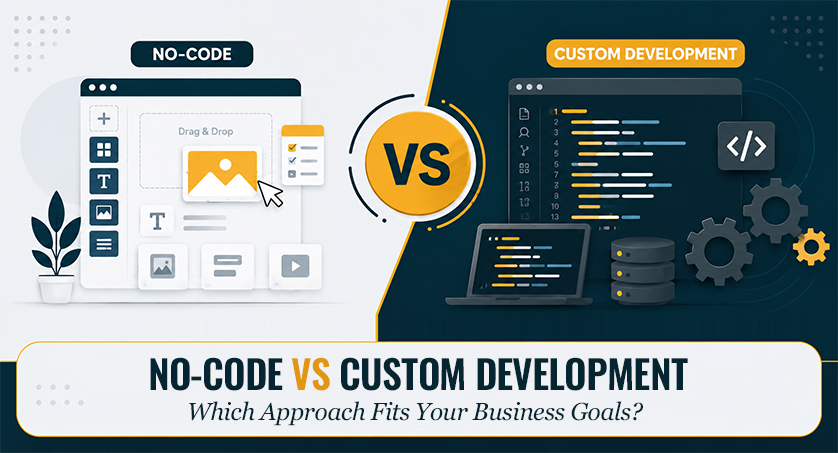
Software decisions today rarely come down to “build it or don’t.” Most teams choose between two fundamentally different approaches: no-code development, which relies on visual, pre-built tools, and custom development, which involves writing software from the ground up. Each is suited to a different set of constraints – budget, timeline, technical complexity, and how central the software is to the business. Understanding those constraints, rather than defaulting to whichever option sounds more advanced, is what determines whether a project succeeds.
What is No-Code Development?
No-code development is a method that allows non-programmers to build software, automate workflows, and design websites using visual, drag-and-drop interfaces rather than writing traditional programming code.
How it Works
- The interface is built visually. Buttons, forms, and layouts get placed and arranged on screen the same way you’d lay out a presentation.
- Logic is defined as rules, not scripts. Instead of writing a function, you’re setting something like “when this form is submitted, send an email and update the record” – the platform translates that into working logic on its own.
- Data gets modeled without SQL. Databases can be structured, and existing spreadsheets are connected through a visual interface.
- Deployment is mostly handled for you. Server setup, scaling, and getting the app live -on the web or in an app store is largely the platform’s job.
That combination is what makes no-code fast: the mechanics of running software are already solved and building an app becomes closer to configuration than construction. Many no-code platforms include a built-in content management system but businesses with more complex requirements should spend time selecting the right CMS before committing to a platform.
No-Code Advantages
- Rapid development
- Lower upfront costs
- Easy for non-technical teams
- Faster testing and Minimum Viable Product (MVP) creation
If the problem is standard, a no-code platform has probably already solved it for someone else and you’re just configuring their solution.
No-Code Use Cases
- Internal business tools
- Landing pages
- Appointment booking systems
- Workflow automation
- Early-stage startup MVPs
What is Custom Development?
Custom development means writing the software from the database, using whatever languages and frameworks fit the problem. Nothing is pre-decided, which means more work but no ceiling. Businesses with unique requirements often invest in custom software development solutions to build applications that align with their workflows, growth plans and long-term business goals.
The Development Process
Custom development typically moves through four stages. While every team follows its own methodology, most projects begin with a structured website development workflow that covers planning, design, development, testing and deployment.
- Discovery & Requirements – defining goals, constraints, and technical specs before any design or code work begins.
- Design & Prototyping – wireframing and shaping the UX/UI, so everyone agrees on the plan before it’s built.
- Development & Testing – writing and testing the code in iterative cycles until it works as intended.
- Deployment & Support – launching the product and maintaining it on an ongoing basis.
Custom Development Advantages
- Complete flexibility
- Better performance
- Advanced security
- Unlimited customization
- Easier long-term scalability
Custom Development Use Cases
- Enterprise applications
- SaaS platforms
- Fintech products
- Healthcare systems
- Large eCommerce platforms
- AI-powered applications
No-Code vs Custom Development: Side-by-Side Comparison
| Factor | No-Code | Custom Development |
|---|---|---|
| Development Speed | Very fast | Slower, full build cycle |
| Initial Cost | Lower | Higher |
| Long-Term Cost | Can climb with scale | Predictable, maintenance-based |
| Customization | Limited to the platform | Effectively unlimited |
| Scalability | Fine up to a point | Built to scale on purpose |
| Vendor Lock-In | Higher | Mini |
| Data Portability | Limited | Full |
| Maintenance | Handled by the platform | Owned by your team |
| Ownership | Often tied to vendor terms | Fully yours |
Lower cost only matters if the project stays inside what the platform can do. Unlimited customization only matters if you actually need it.
When No-Code Makes Sense
- Testing whether an idea has any market before spending real money
- A small business that just needs a functional website
- Automating something repetitive and well-defined
- The team with no in-house developers and no plan to hire one soon
- A budget that can’t support a custom build right now
A startup builds an MVP in weeks to test market demand before investing heavily.
When Custom Development Makes Sense
The math shifts once a product’s complexity or scale outpaces what a platform can carry:
- Business rules with too many exceptions to fit a template cleanly
- Traffic levels where performance stops being optional
- Compliance requirements a generic platform can’t guarantee
- Real integration work across several systems, not a plug-and-play connector
- A codebase the business needs to own outright, no vendor dependency
This usually happens when a product starts on a no-code tool, grows past what it was built to handle, and the rebuild stops and becomes necessary just to keep functioning.
The Hybrid Approach
Many businesses split the decision by feature – custom code for whatever’s customer-facing or drives revenue, no-code for the internal stuff: dashboards, forms, HR workflows, marketing pages, basic automation. That split lets a team move fast where speed matters and invest properly where it counts.
A common path: a startup ships an MVP on no-code to see if anyone wants the product, then swaps out individual pieces for custom-built versions as usage grows and requirements stop being simple. It rarely happens at once – more component by component, as each piece starts hitting a limit the platform can’t get past. Larger companies run the same logic in reverse, keeping the core platform custom while leaving HR tools or internal reporting on no-code indefinitely, since rebuilding those would just mean spending money to replace something that already works.
Common Mistakes to Avoid
- Defaulting to custom just because developers are already on staff, without checking whether the project needs that level of investment.
- Ignoring maintenance costs until years, when they show up as a bigger line item than budgeted.
- Treating every no-code platform as interchangeable when capabilities vary, and the gap surfaces right when it’s least affordable.
- Over-building a custom product around rare edge cases, spending money on a problem nobody has faced yet.
- Leaving the people who understand the business out of the build, producing something technically fine but disconnected from what was needed.
The Final Takeaway
No-code wins when speed, low cost, and cheap experimentation matter most. Custom development is worth its price when a product needs room to grow, handle real complexity, or meet requirements a platform simply can’t. Pick based on where the business is right now. If you’re unsure about which approach fits your business, get in touch with our team to discuss your project requirements.
Frequently Asked Questions (FAQ)
Is No-Code Cheaper Than Custom Development in the Long Run?
Not guaranteed. Fees scale with usage and outgrowing the platform means paying to rebuild on top of what you already paid for.
Can No-Code Apps Scale to Thousands of Users?
Yes, some scale into the millions, but that depends on the platform. A well-optimized database and workflows matter more than the “No-Code” label itself.
What’s the Difference Between No-Code and Low-Code?
The main difference is flexibility and target audience. No-Code assumes zero coding knowledge. Low-Code expects a developer in the mix who can add custom logic on top of the visual tools.
Can you Migrate From No-Code to Custom Development Later?
You can move, and it’s a common path as products scale. But it’s rarely a clean export – most platforms don’t let you pull out portable code, so it usually means rebuilding the business logic.
Is No-Code Secure Enough for Sensitive Data?
It can be, on the right enterprise-grade platform, but most security issues come from misconfiguration. Exposed API keys and overly open data access are the usual culprits.
How Long Does Custom Development Typically Take vs. No-Code?
No-Code takes days to a few weeks. While custom development spans 3-18 months depending on planning, complexity and QA testing.