
What is Largest Contentful Paint (LCP)? How to Improve it for Faster Websites
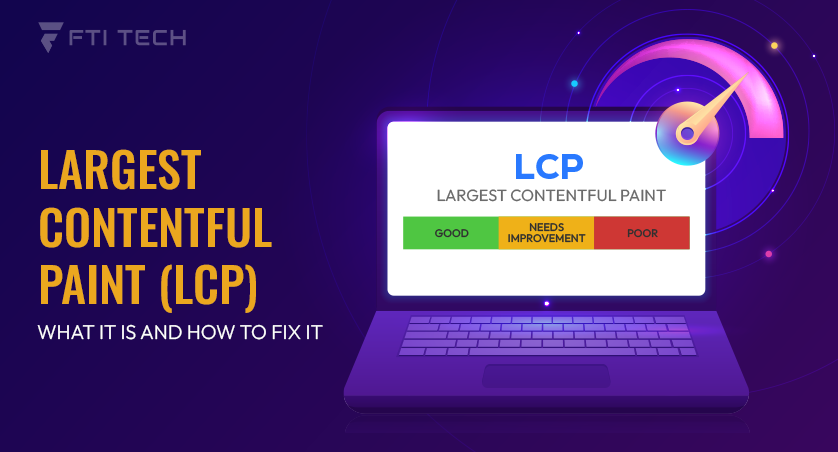
If your page feels slow even after general optimizations, LCP is usually where the problem sits. It’s the metric Google actually uses to judge load experience, and it directly affects your rankings. This guide covers what LCP is, what causes it to slow down, and the specific fixes that move the needle.
What is Largest Contentful Paint (LCP)?
Largest Contentful Paint (LCP) is a metric that is used to measure how long it takes to render the largest visible part of a webpage on screen. That may be a poster image or first frame. It can be phrased in basically one question: when do we finally actually see the main content?
Why does it matter?
A slow LCP creates a bad impression of your site. LCP has a direct connection with the page load speed, and delays in loading irritate users. When they leave the page bouncing rates increase, and search engines follow them. Studies show that reduction of LCP from over 4 seconds to under 2.5 seconds can reduce abandonment.
Why Largest Contentful Paint Matters for Websites?
LCP is not just a number on a report. It is what the user feels before they feel anything else. A slow LCP means the page looks broken. The user sees nothing where there should be something. Patience runs out quickly, and they leave.
The consequences stack fast; higher bounce rates arrive first, then engagement collapses, conversions follow, and they do not come back. Google is watching all of it. LCP is a Core Web Vital, and it’s directly related to search rankings and page experience signals. A slow page does not simply annoy the users; it loses search ranking, one at a time, and every time.
This is most important when speed is most visible, such as eCommerce product pages where the hero image is the first impression, content-dense websites where each paragraph seeks attention, and image-based design where the LCP element is virtually the largest element on the screen.
What is a Good LCP Score?
Google draws the line at 2.5 seconds. Below that, the page is considered fast. Above it, the page cannot offer a better user experience. The performance categories are straightforward.

- Good is (<=) 2.5s
- Needs Improvement falls between 2.5s and 4.0s.
- Poor is (>) 4.0s.
These thresholds are not arbitrary. Google derives them from the 75th percentile of real user visits, measured under actual conditions (including slower mobile networks, not clean lab environments). The benchmark reflects how real people experience the page, not how a test server does.
A score in the Poor range is a problem that compounds. Every second above 4 delays the moment users see why they came.
How to Measure Largest Contentful Paint
Several tools surface LCP directly.
- PageSpeed Insights gives both lab and field data in a single report.
- GTmetrix shows LCP in a waterfall view, which reveals which asset is actually the bottleneck.
- WebPageTest offers granular control over test conditions.
- Chrome DevTools provides LCP timing inside the Performance panel for local debugging.
- Google Search Console shows field data from real users visiting your site, this is the most important source because it reflects what actual visitors experience.
Lab data and real-user data are not the same thing. Lab data is clean and controlled. Real-user data (also called field data) reflects what visitors on varying devices and networks actually experience. Both matter. Lab data guides fixes; field data confirms them.
One practical rule: measure multiple times. A single test can lie. Average across three or more runs for a result worth acting on.
If you’re looking at these scores and not sure where to start, our web development services cover performance audits, targeted fixes, and ongoing monitoring to keep your site consistently fast.
What Causes a Slow LCP Score?
LCP slowdowns rarely have a single cause. They accumulate several issues working together, which is the norm, not the exception.
Unoptimized Images
The LCP element is an image most of the time. Large hero images, background images, and poorly compressed media all delay the moment the browser can paint the largest visible content. The image is too big, arrives too late, and the metric pays for it.
Slow Server Response Time
Everything the browser eventually shows depends on the server answering first. A high Time to First Byte (TTFB) pushes the entire loading sequence back. Limited server resources make this worse under real traffic conditions.
Render-Blocking CSS and JavaScript
CSS and JavaScript can prevent the browser from rendering anything until they finish loading. Heavy scripts sitting in the critical path and block paint. The LCP element cannot appear until the path is clear.
Large DOM Size
Too many elements in the page structure increase the browser’s processing load before it can paint. A bloated DOM slows the whole pipeline.
Heavy JavaScript Execution
Scripts that execute during page load compete with rendering. Long execution time delays the moment the LCP element becomes visible.
Large Network Payloads
Oversized images, uncompressed fonts, and heavy third-party scripts all add to the network payload. The browser must finish retrieving assets before it can paint. More weight means more waiting.
How to Improve Largest Contentful Paint?
Here are some impactful fixes to ensure LCP for your website is lower.

Optimize Images and Media
Begin with compression (on one hand, it is not pleasant compression, on the contrary, active compression that reduces the size of files without any visible loss in quality). Switch formats. WebP provides smaller files at similar quality to JPEG or PNG. AVIF is even better, having much higher compression ratios.
You should be correct in serving large or small images. Having an image with 2000 pixels in a container of 400 pixels is a waste of bandwidth. The Srcset attribute provides the correct size for the correct screen. The responsive images are no longer optional.
Avoid lazy loading of the LCP element. Lazy loading is the process of loading images only when they are close to the viewport. In the case of above-the-fold content, it is the wrong call. The loading of the LCP element should be instant. Below the fold, all the assets cannot be seen, and lazy load is used.
Improve Server Response Time
The browser is unable to make anything until the server responds. The minimization of TTFB is hence among the most leverageable improvements possible. Capacity is addressed at the host level by means of better hosting resources. A common shared system gets congested quickly when under load; a dedicated infrastructure or scalable infrastructure does not.
Allow server-level caching to ensure requests that have been made previously come to memory as opposed to an original reconstruction of the request response. Best practices: Unindexed or inefficient queries will result in the addition of response time that adds silently.
Deliver assets using a Content Delivery Network (CDN) and locate the assets at geographically near locations to the user. Distance is latency as a CDN shrinks it. Improvements in the servers do not merely shift the TTFB needle. They push all metrics downstream of it.
Optimize CSS and JavaScript
Direct causes of slow LCP are render-blocking resources. CSS and JavaScript, which need to be run prior to the page being capable of painting, delay the LCP element even when those resources are unrelated to the LCP element.
- Minify CSS and JavaScript. Smaller files are transferred more quickly.
- Eliminate unused CSS (stylesheet bloat is typical of sites that use massive frameworks or page builders).
- Reduce unused JavaScript.
- Postpone other scripts that are not critical to ensure that they run after the page has been rendered and not prior to.
- Split JavaScript bundles where feasible, in such a way that only the code that is needed by the first view loads first.
Fix resources explicitly render blocked. Find them in Chrome DevTools or PageSpeed Insights. Strategically preload, defer, or asynchronously. Minimizing code and runtime makes the browser available to paint earlier.
Prioritize the LCP Element
The browser must find and fetch the LCP element as quickly as possible in the process. A number of methods place it at the forefront.
Preloading essential images involves using the <link rel=”preload”> tag in your website’s HTML <head> to tell the browser to download a specific image immediately, even before it has parsed the rest of the page.
Avoid LCP element lazy loading (said quite simply because it is done frequently). The fetchpriority= “high” attribute is used on the LCP image to indicate urgency to the browser. Fonts should load promptly; hidden text when the fonts are loading may slow down paint and LCP, even with an already-complete image.
The principle is simple. However, whatever the browser must paint the LCP element, grant it prompt access to it all.
Monitor Performance Regularly
LCP does not become a one-time number; it moves. New plugins, themes, media, and modified third-party scripts can all improve performance in one way or another.
Make periodic checks of LCP with the following tools.
- Monitor Core Web Vitals reports in Google Search Console, where you can see field data as directly reported by real users visiting your site.
- Real user data detects regressions that lab tests are not able to detect.
- Set a schedule. Put it as a part of the maintenance cycle.
A page that is rated good today may fall by just one update of the template. This is one of the most common things we flag at FTI Tech during performance audits. Make performance checks part of your maintenance cycle.
Final Thoughts
LCP is one of those metrics that looks technical on the surface but comes down to one thing: how fast does your page feel to a real person on a real device. Most sites see meaningful improvement from just two or three of the fixes applied correctly.
If you’ve run through the checklist and the numbers still aren’t moving, the issue is usually somewhere less obvious like server config, third-party scripts, or a caching layer that isn’t set up right. That’s when it helps to have someone look at it properly. Contact us, and we’ll tell you exactly where the time is going.